
Webmail is a web-based email client, which allows you to access your
emails through any browser or any computer. This is very helpful when
you do not have access to your computer on which your email is setup,
you can login to your account from anywhere to read your emails and to
quickly respond.
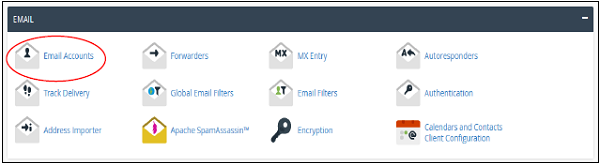
Step 1 − Login to your cPanel and click on Email Accounts found under the Email section.
 Step 2 − Scroll down to find list of Email Accounts.
 Step 3 − Click on More button at the corresponding email address of which you want to access webmail.
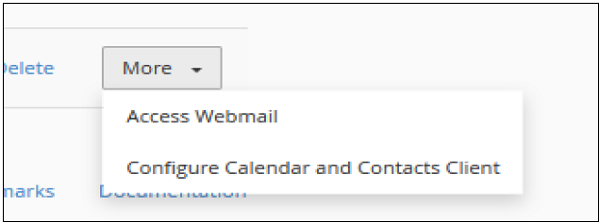 Step 4 − Click on Access Webmail and the system will automatically log you into the webmail in a new tab.
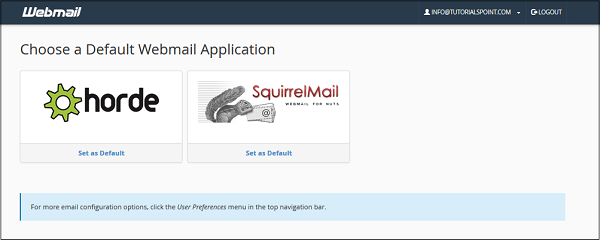 Step 5 − Choose any Webmail application. You can also set a
default Webmail application, so whenever you log into your webmail, your
default webmail application will automatically load.
Step 5 − Choose any Webmail application. You can also set a
default Webmail application, so whenever you log into your webmail, your
default webmail application will automatically load.
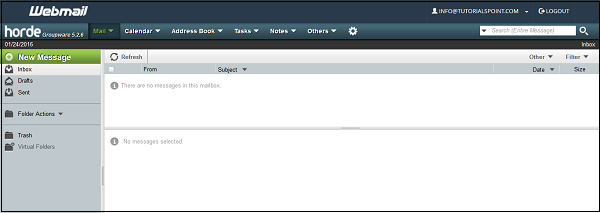
Note − I have chosen horde to load webmail
Step 1 − Navigate to https://your–domain.com:2096 or https://webmail.your–domain.com through your browsers address bar.
Step 2 − Webmail login screen will appear, Enter your Email and Password of your email account.
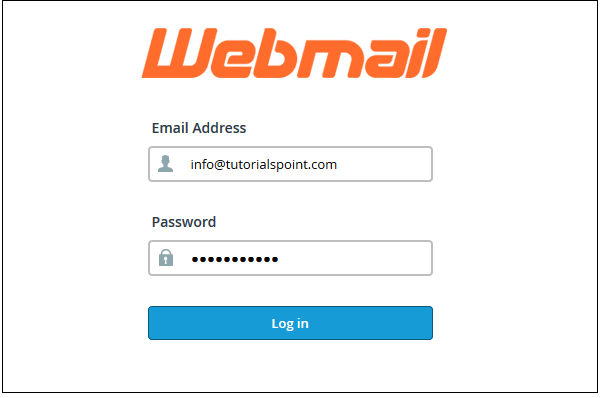 Step 3 − Press Log in button to login into your web based email client, you will get same interface as we got above.
Opening Your Webmail
There are two options through which you can login to your webmail client.Through cPanel Interface
Follow these steps to login to your webmail client −Step 1 − Login to your cPanel and click on Email Accounts found under the Email section.
Step 2 − Scroll down to find list of Email Accounts.
Step 3 − Click on More button at the corresponding email address of which you want to access webmail.
Step 4 − Click on Access Webmail and the system will automatically log you into the webmail in a new tab.
Step 5 − Choose any Webmail application. You can also set a
default Webmail application, so whenever you log into your webmail, your
default webmail application will automatically load.Note − I have chosen horde to load webmail
Access webmail directly
To access webmail directly without logging into cPanel, you can use the following steps −Step 1 − Navigate to https://your–domain.com:2096 or https://webmail.your–domain.com through your browsers address bar.
Step 2 − Webmail login screen will appear, Enter your Email and Password of your email account.
Step 3 − Press Log in button to login into your web based email client, you will get same interface as we got above.

No comments:
Post a Comment