
Try it Option Online
We have set up the Fortran Programming environment online, so that you can compile and execute all the available examples online. It gives you confidence in what you are reading and enables you to verify the programs with different options. Feel free to modify any example and execute it online.
Try the following example using our online compiler available at CodingGround
program hello
   Print *, "Hello World!"
end program Hello
For most of the examples given in this tutorial, you will find a Try it option in our website code sections at the top right corner that will take you to the online compiler. So just make use of it and enjoy your learning.
Setting up Fortran in Windows
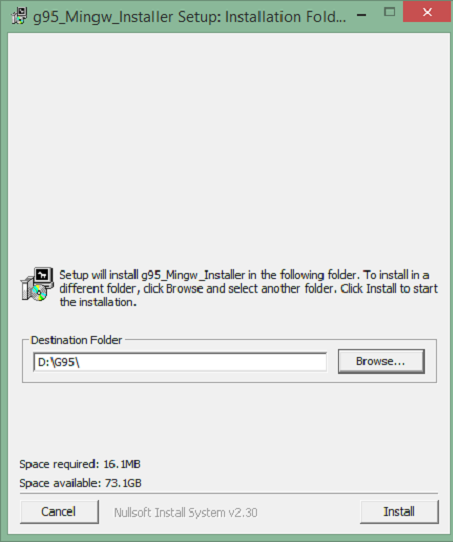
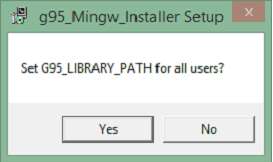
G95 is the GNU Fortran multi-architechtural compiler, used for setting up Fortran in Windows. The windows version emulates a unix environment using MingW under windows. The installer takes care of this and automatically adds g95 to the windows PATH variable.You can get the stable version of G95 from here :
How to use G95
During installation, g95 is automatically added to your PATH variable if you select the option “RECOMMENDED”. This means that you can simply open a new Command Prompt window and type “g95” to bring up the compiler. Find some basic commands below to get you started.| Command | Description |
|---|---|
| g95 –c hello.f90 | Compiles hello.f90 to an object file named hello.o |
| g95 hello.f90 | Compiles hello.f90 and links it to produce an executable a.out |
| g95 -c h1.f90 h2.f90 h3.f90 | Compiles multiple source files. If all goes well, object files h1.o, h2.o and h3.o are created |
| g95 -o hello h1.f90 h2.f90 h3.f90 | Compiles multiple source files and links them together to an executable file named 'hello' |
-c Compile only, do not run the linker.
-o Specify the name of the output file, either an object file or the executable.
Multiple source and object files can be specified at once. Fortran files are indicated by names ending in ".f", ".F", ".for", ".FOR", ".f90", ".F90", ".f95", ".F95", ".f03" and ".F03". Multiple source files can be specified. Object files can be specified as well and will be linked to form an executable file.


No comments:
Post a Comment