
A URL rule is an instance if yii\web\UrlRule. The urlManager components uses the URL rules declared in its rules property when the pretty URL format is enabled.
To parse a request, the URL manager obtains the rules in the order they are declared and looks for the first rule.
Step 1 − Modify the urlManager component in the config/web.php file.
 A URL rule can be associated with query parameters in this pattern −
<ParamName:RegExp>, where −
Step 3 − Modify the urlComponent in the config/web.php file.
To parse a request, the URL manager obtains the rules in the order they are declared and looks for the first rule.
Step 1 − Modify the urlManager component in the config/web.php file.
'urlManager' => [
   'showScriptName' => false,
   'enablePrettyUrl' => true,
   'rules' => [
      'about' => 'site/about',
   ]
],
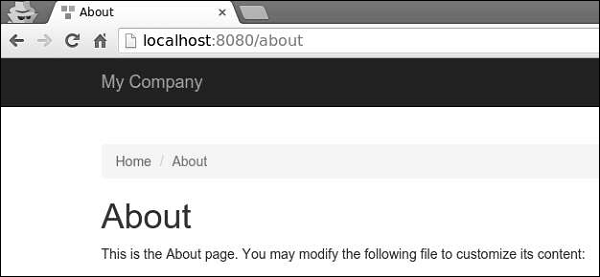
Step 2 − Go to your web browser at http://localhost:8080/about, you will see the about page.
A URL rule can be associated with query parameters in this pattern −<ParamName:RegExp>, where −
- ParamName − The parameter name
- RegExp − An optional regular expression used to match parameter values
[
   'articles/<year:\d{4}>/<category>' => 'article/index',
   'articles' => 'article/index',
   'article/<id:\d+>' => 'article/view',
]
When the rules are used for parsing −
- /index.php/articles is parsed into the article/index
- /index.php/articles/2014/php is parsed into the article/index
- /index.php/article/100 is parsed into the article/view
- /index.php/articles/php is parsed into articles/php
- Url::to(['article/index']) creates /index.php/articles
- Url::to(['article/index', 'year' => 2014, 'category' => 'php']) creates /index.php/articles/2014/php
- Url::to(['article/view', 'id' => 100]) creates /index.php/article/100
- Url::to(['article/view', 'id' => 100, 'source' => 'ad']) creates /index.php/article/100?source=ad
- Url::to(['article/index', 'category' => 'php']) creates /index.php/article/index?category=php
Step 3 − Modify the urlComponent in the config/web.php file.
'urlManager' => [
   'showScriptName' => false,
   'enablePrettyUrl' => true,
   'enableStrictParsing' => true,
   'suffix' => '.html'
],
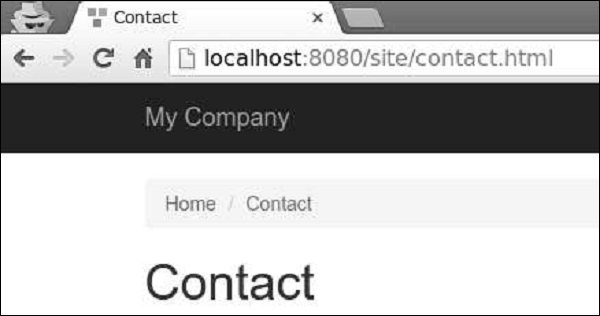
Step 4 − Type the address http://localhost:8080/site/contact.html in the address bar of the web browser and you will see the following on your screen. Notice the html suffix.


No comments:
Post a Comment