
The most straightforward way to get started with Yii2 is to use the
basic application template provided by the Yii2 team. This template is
also available through the Composer tool.
Step 1 − Find a suitable directory in your hard drive and download the Composer PHAR (PHP archive) via the following command.
Step 4 − Now open the helloworld directory and launch the web server built into PHP.
Step 1 − Find a suitable directory in your hard drive and download the Composer PHAR (PHP archive) via the following command.
curl -sS https://getcomposer.org/installer | phpStep 2 − Then move this archive to the bin directory.
mv composer.phar /usr/local/bin/composerStep 3 − With the Composer installed, you can install Yii2 basic application template. Run these commands.
composer global require "fxp/composer-asset-plugin:~1.1.1"
composer create-project --prefer-dist yiisoft/yii2-app-basic helloworld
The first command installs the composer asset plugin, which manages npm and bower dependencies. The second command installs Yii2 basic application template in a directory called helloworld.
Step 4 − Now open the helloworld directory and launch the web server built into PHP.
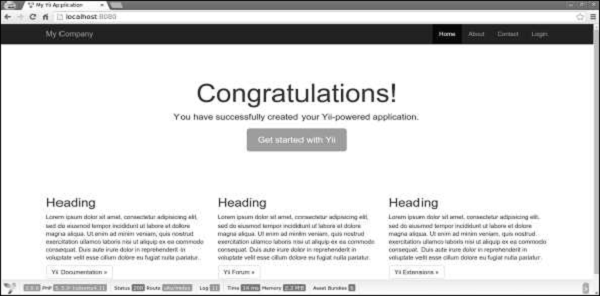
php -S localhost:8080 -t webStep 5 − Then open http://localhost:8080 in your browser. You can see the welcome page.


Thanks for taking the time to discuss this, I feel strongly about it and love learning more on this topic. If possible, as you gain expertise, would you mind updating your blog with extra information? It is extremely helpful for me. Ultra web
ReplyDeleteThis is a Wounderful Post. web hosting coupon
ReplyDelete