
Query builder allows you to create SQL queries in a programmatic way.
Query builder helps you write more readable SQL-related code.
To use query builder, you should follow these steps −
To build an yii\db\Query object, you should call different query builder functions to define different parts of an SQL query.
Step 1 − To show a typical usage of the query builder, modify the actionTestDb method this way.
 Operator format allows you to define arbitrary conditions in the following format −
Example −
Example −
 The limit() and offset() methods defines the LIMIT and OFFSET fragments.
Example −
 The yii\db\Query class provides a set of methods for different purposes −
To use query builder, you should follow these steps −
To build an yii\db\Query object, you should call different query builder functions to define different parts of an SQL query.
Step 1 − To show a typical usage of the query builder, modify the actionTestDb method this way.
public function actionTestDb() {
   //generates "SELECT id, name, email FROM user WHERE name = 'User10';"
   $user = (new \yii\db\Query())
      ->select(['id', 'name', 'email'])
      ->from('user')
      ->where(['name' => 'User10'])
      ->one();
   var_dump($user);
}
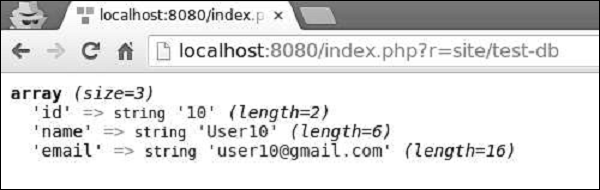
Step 2 − Go to http://localhost:8080/index.php?r=site/test-db, you will see the following output.
Where() function
The where() function defines the WHERE fragment of a query. To specify a WHERE condition, you can use three formats.- string format − 'name = User10'
- hash format − ['name' => 'User10', 'email => user10@gmail.com']
- operator format − ['like', 'name', 'User']
Example of String format
public function actionTestDb() {
   $user = (new \yii\db\Query())
      ->select(['id', 'name', 'email'])
      ->from('user')
      ->where('name = :name', [':name' => 'User11'])
      ->one();
   var_dump($user);
}
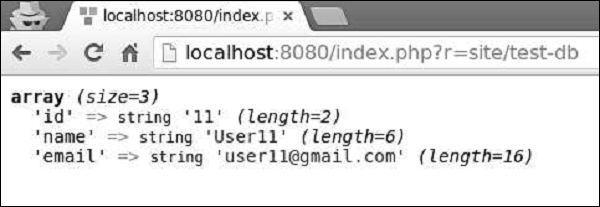
Following will be the output.
Example of Hash format
public function actionTestDb() {
   $user = (new \yii\db\Query())
      ->select(['id', 'name', 'email'])
      ->from('user')
      ->where([
         'name' => 'User5',
         'email' => 'user5@gmail.com'
      ])
      ->one();
   var_dump($user);
}
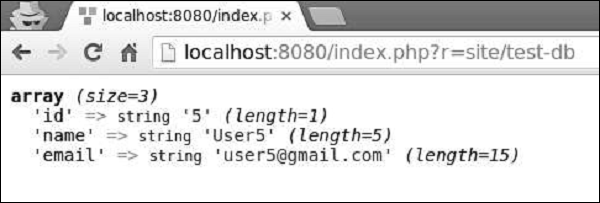
Following will be the output.
Operator format allows you to define arbitrary conditions in the following format −[operator, operand1, operand2]The operator can be −
- and − ['and', 'id = 1', 'id = 2'] will generate id = 1 AND id = 2 or: similar to the and operator
- between − ['between', 'id', 1, 15] will generate id BETWEEN 1 AND 15
- not between − similar to the between operator, but BETWEEN is replaced with NOT BETWEEN
- in − ['in', 'id', [5,10,15]] will generate id IN (5,10,15)
- not in − similar to the in operator, but IN is replaced with NOT IN
- like − ['like', 'name', 'user'] will generate name LIKE '%user%'
- or like − similar to the like operator, but OR is used to split the LIKE predicates
- not like − similar to the like operator, but LIKE is replaced with NOT LIKE
- or not like − similar to the not like operator, but OR is used to concatenate the NOT LIKE predicates
- exists − requires one operand which must be an instance of the yii\db\Query class
- not exists − similar to the exists operator, but builds a NOT EXISTS (subquery) expression
- <, <=, >, >=, or any other DB operator: ['<', 'id', 10] will generate id<10
Example of Operator format
public function actionTestDb() {
   $users = (new \yii\db\Query())
      ->select(['id', 'name', 'email'])
      ->from('user')
      ->where(['between', 'id', 5, 7])
      ->all();
   var_dump($users);
}
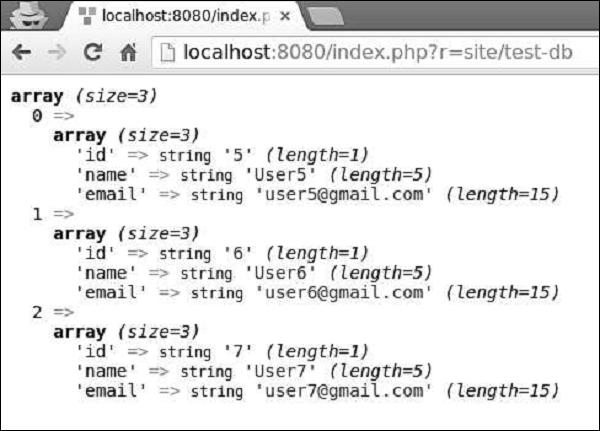
Following will be the output.
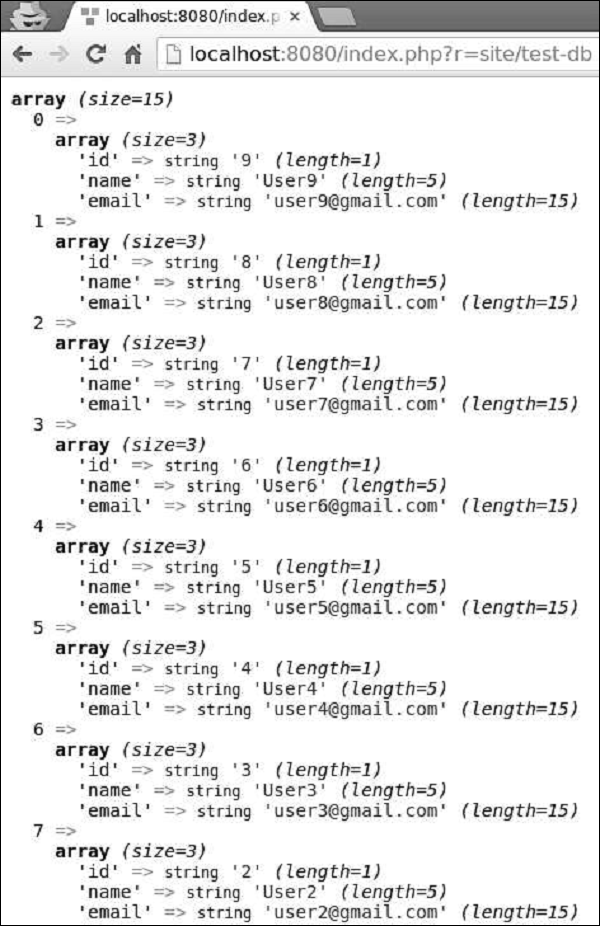
OrderBy() Function
The orderBy() function defines the ORDER BY fragment.Example −
public function actionTestDb() {
   $users = (new \yii\db\Query())
      ->select(['id', 'name', 'email'])
      ->from('user')
      ->orderBy('name DESC')
      ->all();
   var_dump($users);
}
Following will be the output.
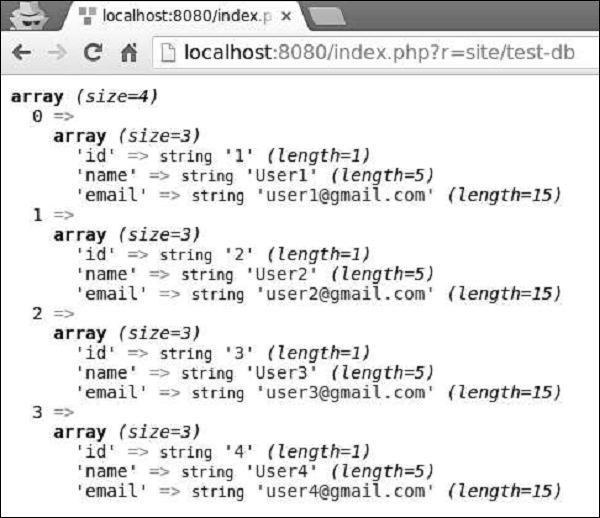
groupBy() Function
The groupBy() function defines the GROUP BY fragment, while the having() method specifies the HAVING fragment.Example −
public function actionTestDb() {
   $users = (new \yii\db\Query())
      ->select(['id', 'name', 'email'])
      ->from('user')
      ->groupBy('name')
      ->having('id < 5')
      ->all();
   var_dump($users);
}
Following will be the output.
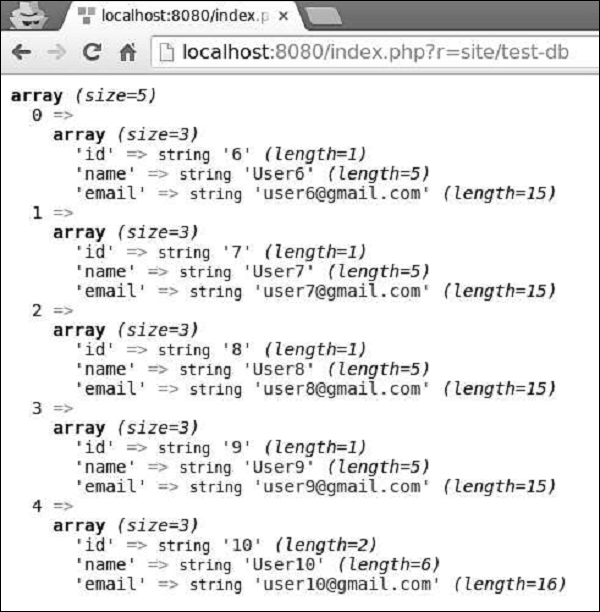
The limit() and offset() methods defines the LIMIT and OFFSET fragments.Example −
public function actionTestDb() {
   $users = (new \yii\db\Query())
      ->select(['id', 'name', 'email'])
      ->from('user')
      ->limit(5)
      ->offset(5)
      ->all();
   var_dump($users);
}
You can see the following output −
The yii\db\Query class provides a set of methods for different purposes −- all() − Returns an array of rows of name-value pairs.
- one() − Returns the first row.
- column() − Returns the first column.
- scalar() − Returns a scalar value from the first row and first column of the result.
- exists() − Returns a value indicating whether the query contains any result
- count() Returns the result of a COUNT query
- other aggregation query methods − Includes sum($q), average($q), max($q), min($q). The $q parameter can be either a column name or a DB expression.


No comments:
Post a Comment