
To execute an SQL query, you should follow these steps −
Step 1 − Create a function called actionTestDb in the SiteController.
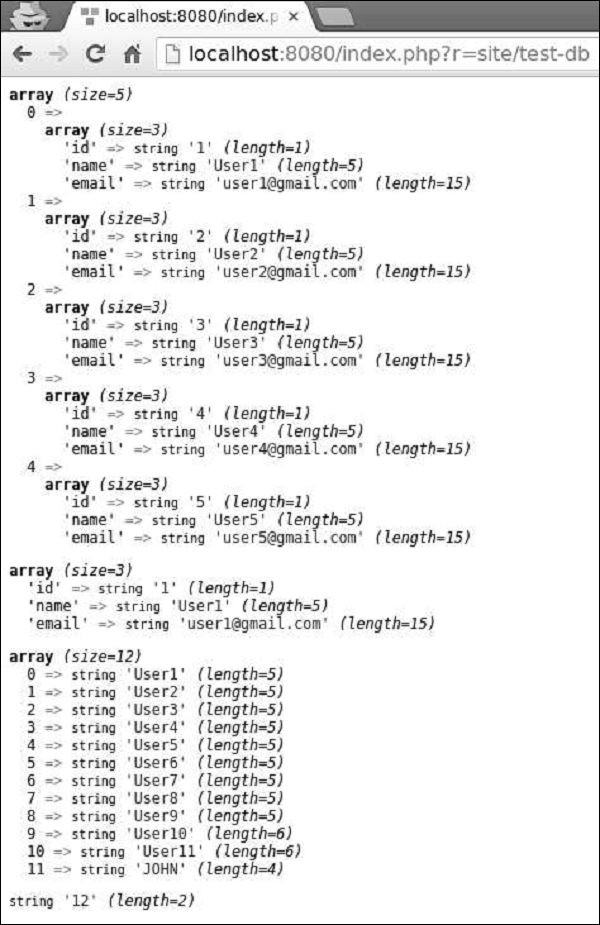
Step 2 − Go to the address http://localhost:8080/index.php?r=site/test-db, you will see the following output.
Step 1 − Modify the actionTestDb method this way.
Step 1 − Modify the actionTestDb method this way.
Step 1 − Create a function called actionTestDb in the SiteController.
public function actionTestDb(){
   // return a set of rows. each row is an associative array of column names and values.
   // an empty array is returned if the query returned no results
   $users = Yii::$app->db->createCommand('SELECT * FROM user LIMIT 5')
      ->queryAll();
   var_dump($users);
   // return a single row (the first row)
   // false is returned if the query has no result
   $user = Yii::$app->db->createCommand('SELECT * FROM user WHERE id=1')
      ->queryOne();
   var_dump($user);
   // return a single column (the first column)
   // an empty array is returned if the query returned no results
   $userName = Yii::$app->db->createCommand('SELECT name FROM user')
      ->queryColumn();
   var_dump($userName);
   // return a scalar value
   // false is returned if the query has no result
   $count = Yii::$app->db->createCommand('SELECT COUNT(*) FROM user')
      ->queryScalar();
   var_dump($count);
}
The above example shows various ways of fetching data from a DB.
Step 2 − Go to the address http://localhost:8080/index.php?r=site/test-db, you will see the following output.
Create an SQL Command
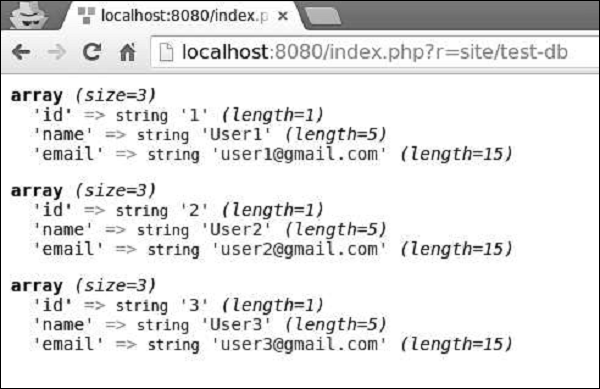
To create an SQL command with parameters, you should always use the approach of binding parameters to prevent the SQL injection.Step 1 − Modify the actionTestDb method this way.
public function actionTestDb() {
   $firstUser = Yii::$app->db->createCommand('SELECT * FROM user WHERE id = :id')
      ->bindValue(':id', 1)
      ->queryOne();
   var_dump($firstUser);
   $params = [':id' => 2, ':name' => 'User2'];
   $secondUser = Yii::$app->db->createCommand('SELECT * FROM user WHERE
      id = :id AND name = :name')
      ->bindValues($params)
      ->queryOne();
   var_dump($secondUser);
      //another approach
   $params = [':id' => 3, ':name' => 'User3'];
   $thirdUser = Yii::$app->db->createCommand('SELECT * FROM user WHERE
      id = :id AND name = :name', $params)
      ->queryOne();
   var_dump($thirdUser);
}
In the code above −
- bindValue() − binds a single parameter value.
- bindValues() − binds multiple parameter values.
INSERT, UPDATE and DELETE Queries
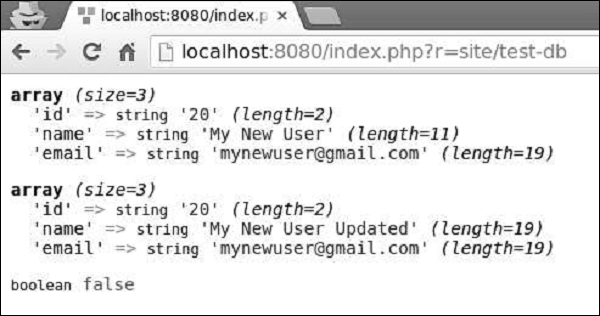
For INSERT, UPDATE, and DELETE queries, you may call insert(), update(), and delete() methods.Step 1 − Modify the actionTestDb method this way.
public function actionTestDb() {
   public function actionTestDb(){
      // INSERT (table name, column values)
      Yii::$app->db->createCommand()->insert('user', [
         'name' => 'My New User',
         'email' => 'mynewuser@gmail.com',
      ])->execute();
      $user = Yii::$app->db->createCommand('SELECT * FROM user WHERE name = :name')
         ->bindValue(':name', 'My New User')
         ->queryOne();
      var_dump($user);
      // UPDATE (table name, column values, condition)
      Yii::$app->db->createCommand()->update('user', ['name' => 'My New User
         Updated'], 'name = "My New User"')->execute();
      $user = Yii::$app->db->createCommand('SELECT * FROM user WHERE name = :name')
         ->bindValue(':name', 'My New User Updated')
         ->queryOne();
      var_dump($user);
      // DELETE (table name, condition)
      Yii::$app->db->createCommand()->delete('user', 'name = "My New User
         Updated"')->execute();
      $user = Yii::$app->db->createCommand('SELECT * FROM user WHERE name = :name')
         ->bindValue(':name', 'My New User Updated')
         ->queryOne();
      var_dump($user);
   }
}
Step 2 − Type the URL http://localhost:8080/index.php?r=site/test-db in the address bar of the web browser and you will see the following output.


No comments:
Post a Comment