
Active Record provides an object-oriented API for accessing data. An Active Record class is associated with a database table.
Yii provides the Active Record support for the following relational databases −
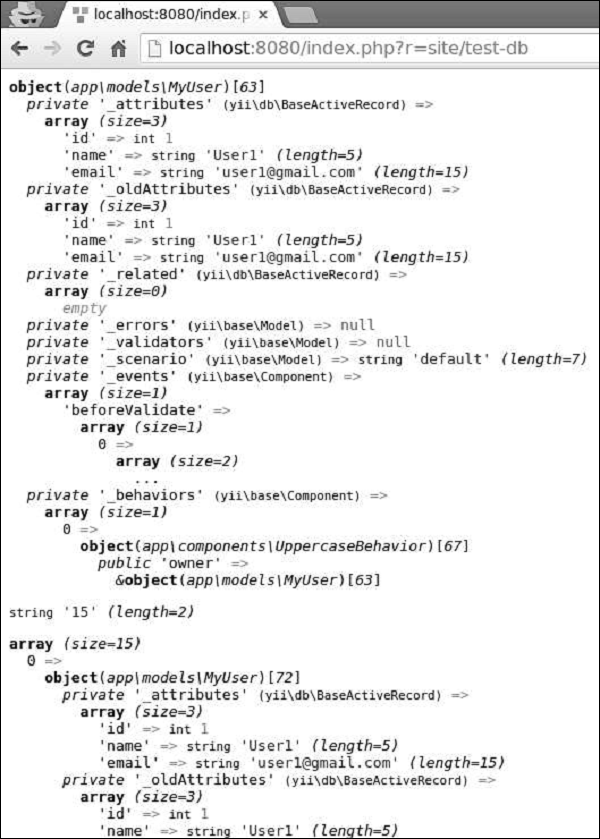
Step 2 − Go to http://localhost:8080/index.php?r=site/test-db, you will see the following output.
 Querying by primary key values or a set of column values is a common task, that is why Yii provides the following methods −
Step 1 − Modify the actionTestDb() method this way.
 To delete a single row of data, you should −
 Step 3 − You can also call the yii\db\ActiveRecord::deleteAll() method to delete multiple rows of data, for example.
Yii provides the Active Record support for the following relational databases −
- MySQL 4.1 or later
- SQLite 2 and 3:
- PostgreSQL 7.3 or later
- Microsoft SQL Server 2008 or later
- CUBRID 9.3 or later
- Oracle
- ElasticSearch
- Sphinx
- Redis 2.6.12 or later
- MongoDB 1.3.0 or later
- Create a new query object, using the yii\db\ActiveRecord::find() method.
- Build the query object.
- Call a query method to retrieve data.
public function actionTestDb() {
   // return a single user whose ID is 1
   // SELECT * FROM `user` WHERE `id` = 1
   $user = MyUser::find()
      ->where(['id' => 1])
      ->one();
   var_dump($user);
   // return the number of users
   // SELECT COUNT(*) FROM `user`
   $users = MyUser::find()
      ->count();
   var_dump($users);
   // return all users and order them by their IDs
   // SELECT * FROM `user` ORDER BY `id`
   $users = MyUser::find()
      ->orderBy('id')
      ->all();
   var_dump($users);
}
The code given above shows how to use ActiveQuery to query data.
Step 2 − Go to http://localhost:8080/index.php?r=site/test-db, you will see the following output.
Querying by primary key values or a set of column values is a common task, that is why Yii provides the following methods −- yii\db\ActiveRecord::findOne() − Returns a single Active Record instance
- yi\db\ActiveRecord::findAll() − Returns an array of Active Record instances
public function actionTestDb() {
   // returns a single customer whose ID is 1
   // SELECT * FROM `user` WHERE `id` = 1
   $user = MyUser::findOne(1);
   var_dump($user);
   // returns customers whose ID is 1,2,3, or 4
   // SELECT * FROM `user` WHERE `id` IN (1,2,3,4)
   $users = MyUser::findAll([1, 2, 3, 4]);
   var_dump($users);
   // returns a user whose ID is 5
   // SELECT * FROM `user` WHERE `id` = 5
   $user = MyUser::findOne([
      'id' => 5
   ]);
   var_dump($user);
}
Save Data to Database
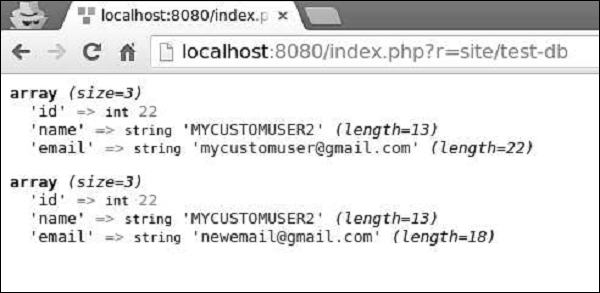
To save data to the database, you should call the yii\db\ActiveRecord::save() method.Step 1 − Modify the actionTestDb() method this way.
public function actionTestDb() {
   // insert a new row of data
   $user = new MyUser();
   $user->name = 'MyCustomUser2';
   $user->email = 'mycustomuser@gmail.com';
   $user->save();
   var_dump($user->attributes);

   // update an existing row of data
   $user = MyUser::findOne(['name' => 'MyCustomUser2']);
   $user->email = 'newemail@gmail.com';
   $user->save();
   var_dump($user->attributes);
}
Step 2 − Go to http://localhost:8080/index.php?r=site/test-db, you will see the following output.
To delete a single row of data, you should −- Retrieve the Active Record instance
- Call the yii\db\ActiveRecord::delete() method
public function actionTestDb() {
   $user = MyUser::findOne(2);
   if($user->delete()) {
      echo "deleted";
   }
}
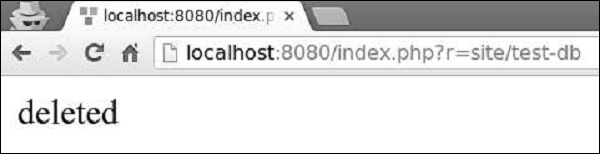
Step 2 − Type http://localhost:8080/index.php?r=site/test-db in the address bar of the web browser, you will see the following output.
Step 3 − You can also call the yii\db\ActiveRecord::deleteAll() method to delete multiple rows of data, for example.public function actionTestDb() { MyUser::deleteAll('id >= 20'); }


No comments:
Post a Comment