
In this chapter, we will study about Widget Management.
Widgets are small blocks that perform specific functions. These give
design and structure control to the WordPress theme. Some specific
features of a widget are −
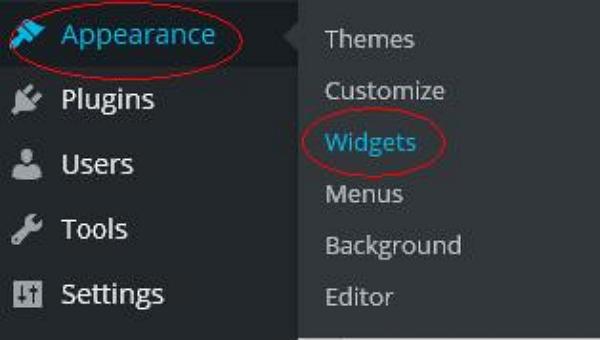 Step (2) − The following screen showing available widgets appear.
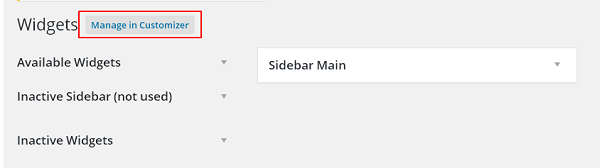 The following functions appear on the page −
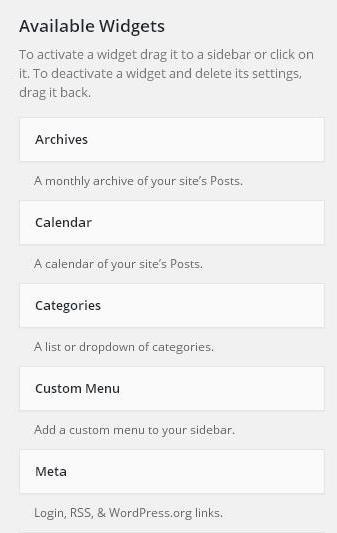
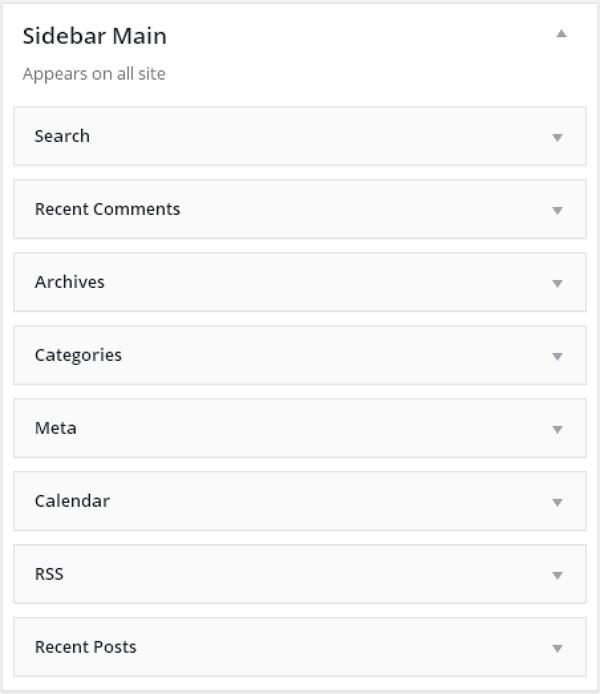
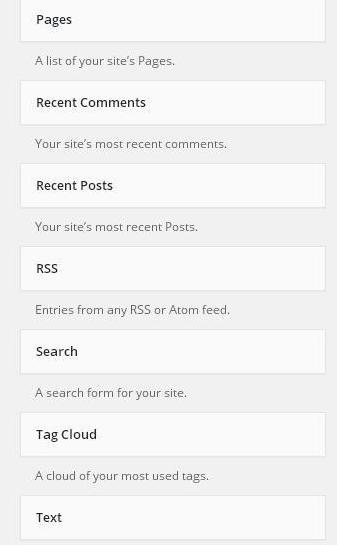 Step (3) − Drag and drop in the Sidebar Main. Any widget you add here, shows up on your site.
- They help you add content and features.
- They can be easily dragged and dropped in widget area.
- They vary from theme to theme. They are not same for every theme.
Step (2) − The following screen showing available widgets appear.
The following functions appear on the page −- Available Widgets − You can use these to add into your sidebar main.
- Inactive Sidebar (not used) − These are not used and can be removed permanently from the widget list.
- Inactive Widgets − Removes the widgets from sidebar but keep it in the settings.
- Sidebar Main − Any widget you add here will appear on your site.
- Manage in Customizer − Takes you back to customization page.
Step (3) − Drag and drop in the Sidebar Main. Any widget you add here, shows up on your site.

No comments:
Post a Comment