
The ListView widget uses a data provider to display data. Each model is rendered using the specified view file.
Step 1 − Modify the actionDataWidget() method this way.
Step 2 − Modify the datawidget view file this way.
Step 3 − Create a file called _user.php inside the views/site folder.
Step 1 − Modify the actionDataWidget() method this way.
public function actionDataWidget() {
   $dataProvider = new ActiveDataProvider([
      'query' => MyUser::find(),
      'pagination' => [
         'pageSize' => 20,
      ],
   ]);
   return $this->render('datawidget', [
      'dataProvider' => $dataProvider
   ]);
}
In the above code, we create a data provider and pass it to the datawidget view.
Step 2 − Modify the datawidget view file this way.
<?php
   use yii\widgets\ListView;
   echo ListView::widget([
      'dataProvider' => $dataProvider,
      'itemView' => '_user',
   ]);
?>
We render the ListView widget. Each model is rendered in the _user view.
Step 3 − Create a file called _user.php inside the views/site folder.
<?php
   use yii\helpers\Html;
   use yii\helpers\HtmlPurifier;
?>
<div class = "user">
   <?= $model->id ?>
   <?= Html::encode($model->name) ?>
   <?= HtmlPurifier::process($model->email) ?>
</div>
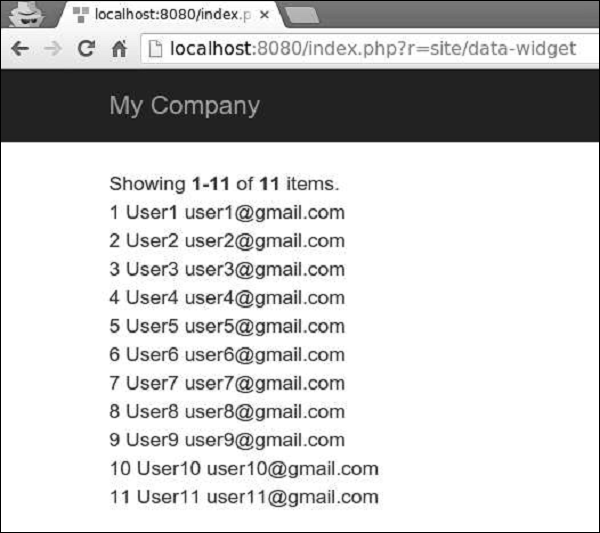
Step 4 − Type http://localhost:8080/index.php?r=site/data-widget in the address bar of the web browser, you will see the following.


No comments:
Post a Comment