
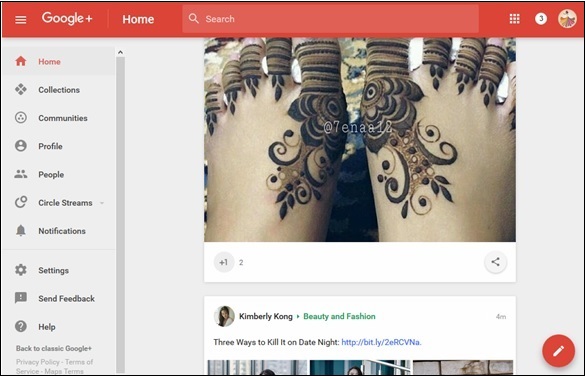
Step 1 − To re-share someone else’s post, click the share  icon that appears on the post as seen in the following screenshot.
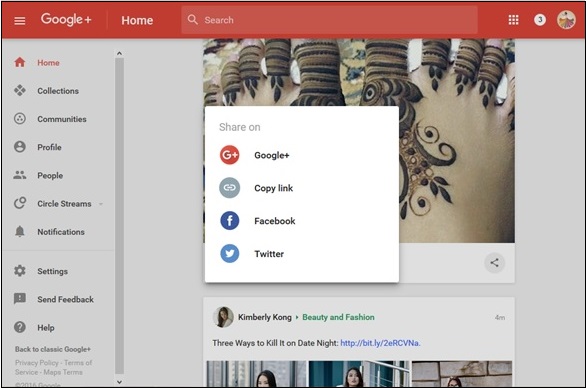
 Step 2 − Click the options where we want to share. For example, Share on Google+.
 Step 3 − Select the people we want to share the post with.
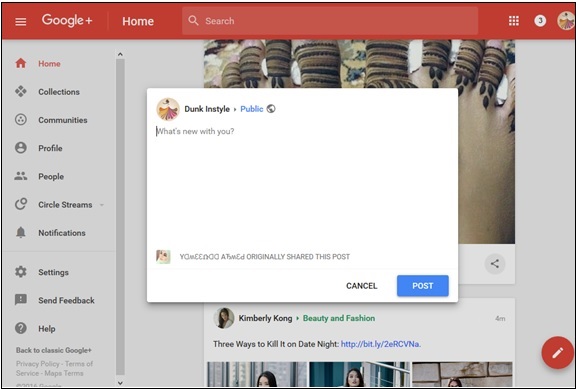 Step 4 − Click the ‘Post’ option.
Step 2 − Click the Menu icon.
icon.
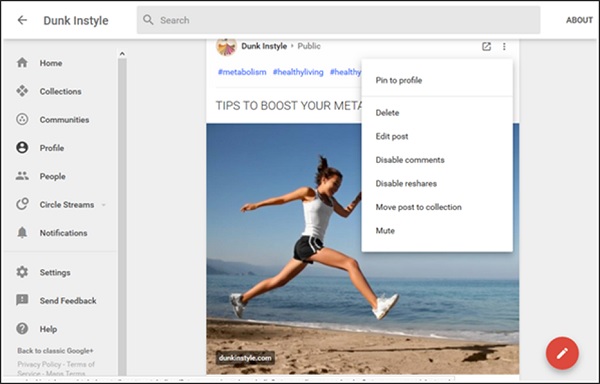 Step 3 − Choose the options “Disable comments” and “Disable reshares”.
icon that appears on the post as seen in the following screenshot.
Step 2 − Click the options where we want to share. For example, Share on Google+.
Step 3 − Select the people we want to share the post with.
Step 4 − Click the ‘Post’ option.Prevent people from commenting on or sharing a post
Step 1 − Open the post. Turn off commenting or resharing while posting.Step 2 − Click the Menu
icon.
Step 3 − Choose the options “Disable comments” and “Disable reshares”.

No comments:
Post a Comment