
Google Circles can be used to group together different people. It may different members of the family, colleagues, or a group of people having similar interest. When we add people to a particular circle, they receive a notification of being added to the circle. Members of a circle can view the posts and photos in the circle. We can also add or remove people from circles at any time. Circles help to share the right information with the right people.
For example, it is a great way to share jokes with ‘friends’ circle, while sharing business matters with ‘work’ circle. People added to circles can also be available on our Google Hangout. By default people and pages added to circles are publicly visible. However, we can change the privacy options from settings. There is a daily limit of adding 5000 pages and profiles within all our circles. If we have reached this limit, we have to wait for another day to add more profiles and pages.
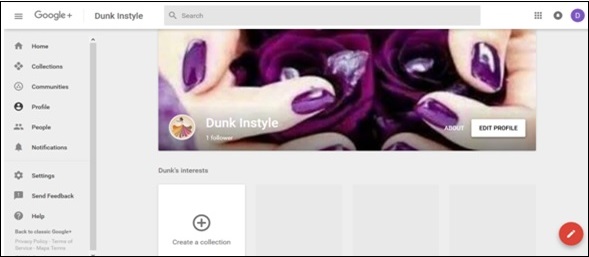 Step 2 − Click ‘People’ from the navigation menu.
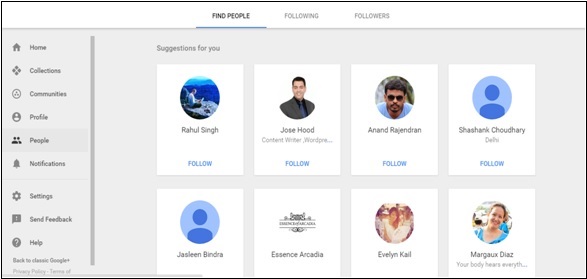 Step 3 − Click the ‘Following’ tab as shown in following screenshot.
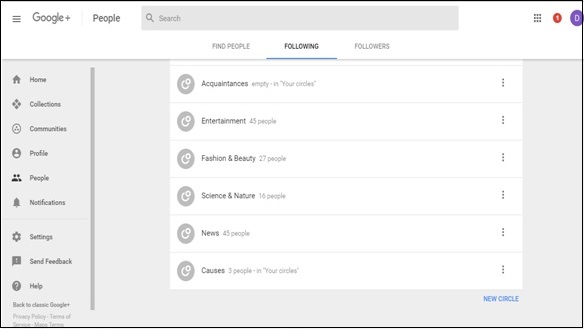 Step 4 − Scroll down and click New Circle as seen in the above screenshot.
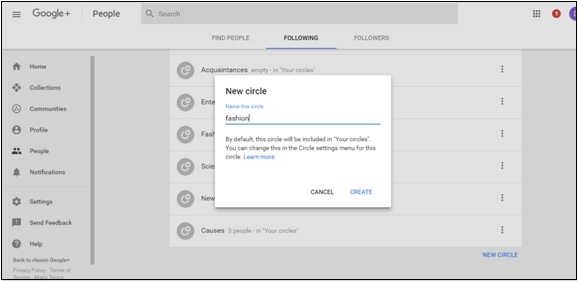
Step 5 − Name the circle and once done, click ‘Create’.
Step 2 − Click the circle that the person is to be added to.
Step 3 − Click Done.
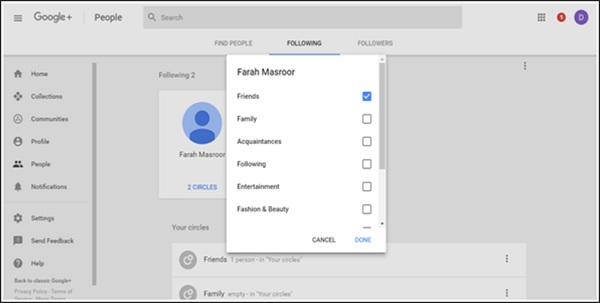
Step 2 − Click the circle that the person is in and from the menu uncheck the circle.
Step 3 − Click Done.
For example, it is a great way to share jokes with ‘friends’ circle, while sharing business matters with ‘work’ circle. People added to circles can also be available on our Google Hangout. By default people and pages added to circles are publicly visible. However, we can change the privacy options from settings. There is a daily limit of adding 5000 pages and profiles within all our circles. If we have reached this limit, we have to wait for another day to add more profiles and pages.
How to Create a Circle?
Step 1 − Open Google+ account.
Step 2 − Click ‘People’ from the navigation menu.
Step 3 − Click the ‘Following’ tab as shown in following screenshot.
Step 4 − Scroll down and click New Circle as seen in the above screenshot.Step 5 − Name the circle and once done, click ‘Create’.
Adding People to Circles
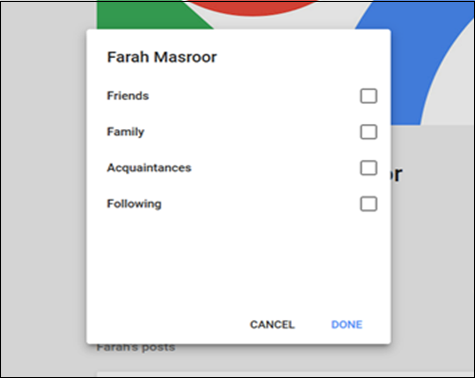
Step 1 − Open the profile of the person who is to be added to the circle.Step 2 − Click the circle that the person is to be added to.
Step 3 − Click Done.
Removing People From Circles
Step 1 − Open the profile of the person to be removed from the circle.Step 2 − Click the circle that the person is in and from the menu uncheck the circle.
Step 3 − Click Done.


No comments:
Post a Comment