পৃষ্ঠাসমূহ
Labels
Al Quran
CakePHP Tutorial
Email Marketing Tutorial
Google Maps Tutorial
HTML5 Tutorial
Instagram Marketing Tutorial
Unlimited Digital Assets
Search Your Article
CS
Pageviews
Tuesday, April 18, 2017
Google Plus - Deleting a Post
Step 1
− Open the post to be deleted.
Step 2
− Click the Menu
icon.
Step 3
− Click Delete option.
No comments:
Post a Comment
Newer Post
Older Post
Home
Subscribe to:
Post Comments (Atom)

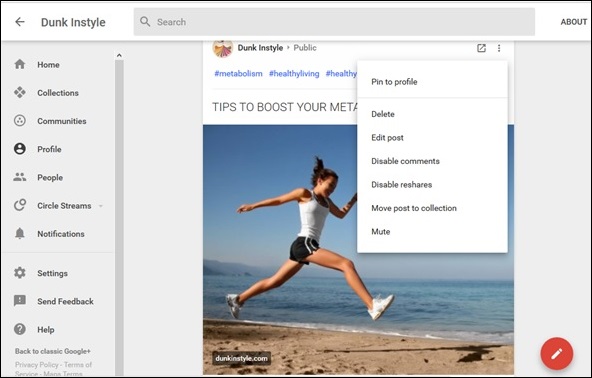 Step 3


No comments:
Post a Comment