
Class member variables in PHP are also called properties. They represent the state of class instance. Yii introduces a class called yii\base\Object. It supports defining properties via getter or setter class methods.
A getter method starts with the word get. A setter method starts with set. You can use properties defined by getters and setters like class member variables.
When a property is being read, the getter method will be called. When a property is being assigned, the setter method will be called. A property defined by a getter is read only if a setter is not defined.
Step 1 − Create a file called Taxi.php inside the components folder.
Step 2 − Now, add an actionProperties method to the SiteController.
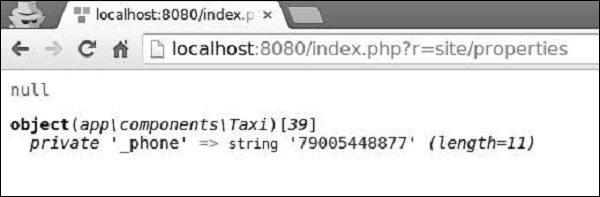
Step 3 − In your web browser, type http://localhost:8080/index.php?r=site/properties, in the address bar, you should see the following output.
A getter method starts with the word get. A setter method starts with set. You can use properties defined by getters and setters like class member variables.
When a property is being read, the getter method will be called. When a property is being assigned, the setter method will be called. A property defined by a getter is read only if a setter is not defined.
Step 1 − Create a file called Taxi.php inside the components folder.
<?php
   namespace app\components;
   use yii\base\Object;
   class Taxi extends Object {
      private $_phone;
      public function getPhone() {
         return $this->_phone;
      }
      public function setPhone($value) {
         $this->_phone = trim($value);
      }
   }
?>
In the code above, we define the Taxi class derived from the Object class. We set a getter – getPhone() and a setter – setPhone().
Step 2 − Now, add an actionProperties method to the SiteController.
public function actionProperties() {
   $object = new Taxi();
   // equivalent to $phone = $object->getPhone();
   $phone = $object->phone;
   var_dump($phone);
   // equivalent to $object->setLabel('abc');
   $object->phone = '79005448877';
   var_dump($object);
}
In the above function we created a Taxi object, tried to access the phone property via the getter, and set the phone property via the setter.
Step 3 − In your web browser, type http://localhost:8080/index.php?r=site/properties, in the address bar, you should see the following output.


No comments:
Post a Comment