
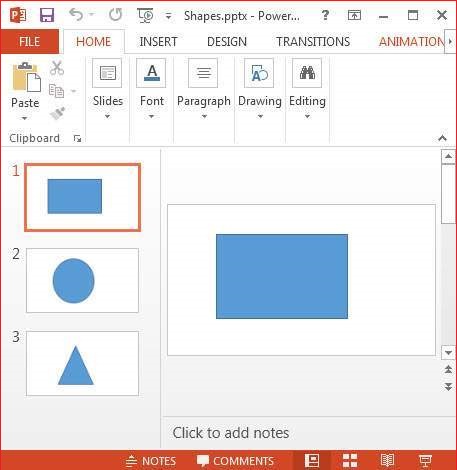
You can get a count of the number of shapes used in a presentation using the method getShapeName() of the XSLFShape class. Given below is the program to read the shapes from a presentation:
import java.io.File;
import java.io.FileInputStream;
import java.io.FileOutputStream;
import java.io.IOException;

import org.apache.poi.xslf.usermodel.XMLSlideShow;
import org.apache.poi.xslf.usermodel.XSLFShape;
import org.apache.poi.xslf.usermodel.XSLFSlide;

public class ReadingShapes {

   public static void main(String args[]) throws IOException{

      //creating a slideshow
      File file = new File("shapes.pptx");
      XMLSlideShow ppt = new XMLSlideShow(new FileInputStream(file));

      //get slides
      XSLFSlide[] slide = ppt.getSlides();

      //getting the shapes in the presentation
      System.out.println("Shapes in the presentation:");
      for (int i = 0; i < slide.length; i++){

         XSLFShape[] sh = slide[i].getShapes();
         for (int j = 0; j < sh.length; j++){

            //name of the shape
            System.out.println(sh[j].getShapeName());
         }
      }

      FileOutputStream out = new FileOutputStream(file);
      ppt.write(out);
      out.close();
   }
}
Save the above Java code as ReadingShapes.java, and then compile and execute it from the command prompt as follows:
$javac ReadingShapes.java
$java ReadingShapes
It will compile and execute to generate the following output.
Shapes in the presentation:
Rectangle 1
Oval 1
Isosceles Triangle 1
The newly added slide with the various shapes appears as follows:


No comments:
Post a Comment