
The process of verifying that a user has enough permission to do something is called authorization. Yii provides an ACF (Access Control Filter), an authorization method implemented as yii\filters\AccessControl. Modify the behaviors() function of the SiteController −
If you go to the URL http://localhost:8080/index.php?r=site/about, you will see the page, but if you open the URL http://localhost:8080/index.php?r=site/contact, you will be redirected to the login page because only authenticated users can access the contact action.
Access rules support many options −
public function behaviors() {
   return [
      'access' => [
         'class' => AccessControl::className(),
         'only' => ['about', 'contact'],
         'rules' => [
            [
               'allow' => true,
               'actions' => ['about'],
               'roles' => ['?'],
            ],
            [
               'allow' => true,
               'actions' => ['contact', 'about'],
               'roles' => ['@'],
            ],
         ],
      ],
   ];
}
In the above code, ACF is attached as a behavior. The only property specifies that the ACF should be applied only to the about and contact actions. All other actions are not subjected to the access control. The rules property lists the access rules. All guests (with the “?” role) will be allowed to access the about action. All authenticated users(with the “@” role) will be allowed to access the contact and about actions.
If you go to the URL http://localhost:8080/index.php?r=site/about, you will see the page, but if you open the URL http://localhost:8080/index.php?r=site/contact, you will be redirected to the login page because only authenticated users can access the contact action.
Access rules support many options −
- allow − Defines whether this is an "allow" or "deny" rule.
- actions − Defines which actions this rule matches.
- controllers − Defines which controllers this rule matches.
- roles − Defines user roles that this rule matches. Two special roles are recognized −
- ? − matches a guest user.
- @ − matches an authenticated user.
- ips − Defines IP addresses this rule matches.
- verbs − Defines which request method (POST, GET, PUT, etc.) this rule matches.
- matchCallback − Defines a PHP callable function that should be called to check if this rule should be applied.
- denyCallback − Defines a PHP callable function that should be called when this rule will deny the access.
Passwords
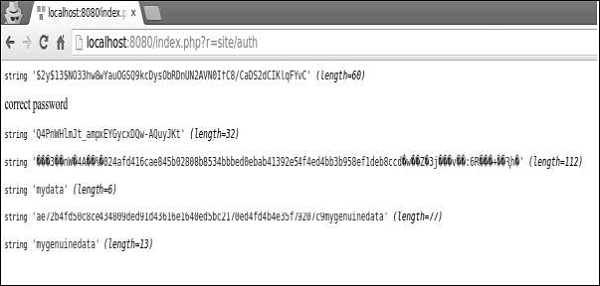
Step 1 − Yii provides the following handy methods for working with passwords.public function actionAuth() { $password = "asd%#G3"; //generates password hasg $hash = Yii::$app->getSecurity()->generatePasswordHash($password); var_dump($hash); //validates password hash if (Yii::$app->getSecurity()->validatePassword($password, $hash)) { echo "correct password"; } else { echo "incorrect password"; } //generate a token $key = Yii::$app->getSecurity()->generateRandomString(); var_dump($key); //encrypt data with a secret key $encryptedData = Yii::$app->getSecurity()->encryptByPassword("mydata", $key); var_dump($encryptedData); //decrypt data with a secret key $data = Yii::$app->getSecurity()->decryptByPassword($encryptedData, $key); var_dump($data); //hash data with a secret key $data = Yii::$app->getSecurity()->hashData("mygenuinedata", $key); var_dump($data); //validate data with a secret key $data = Yii::$app->getSecurity()->validateData($data, $key); var_dump($data); }Step 2 − Enter the URL http://localhost:8080/index.php?r=site/auth, you will see the following.


No comments:
Post a Comment