
Once a connection has been established between the client and the server, an open
event is fired from the Web Socket instance. Error are generated for
mistakes, which take place during the communication. It is marked with
the help of onerror event. Onerror is always followed by termination of connection.
The onerror event is fired when something wrong occurs between the communications. The event onerror is followed by a connection termination, which is a close event.
A good practice is to always inform the user about the unexpected error and try to reconnect them.
The most common way of doing so is simply making an HTTP request to a website that is supposed to be up (for example, http://www.google.com). If the request succeeds, the desktop or mobile device knows there is active connectivity. Similarly, HTML has XMLHttpRequest for determining network availability.
HTML5, though, made it even easier and introduced a way to check whether the browser can accept web responses. This is achieved via the navigator object −
Here is how to inform the user that the network is not available and try to reconnect when a WebSocket close event occurs −
The onerror event is fired when something wrong occurs between the communications. The event onerror is followed by a connection termination, which is a close event.
A good practice is to always inform the user about the unexpected error and try to reconnect them.
socket.onclose = function(event) {
   console.log("Error occurred.");

   // Inform the user about the error.
   var label = document.getElementById("status-label");
   label.innerHTML = "Error: " + event;
}
When it comes to error handling, you have to consider both internal and external parameters.
- Internal parameters include errors that can be generated because of the bugs in your code, or unexpected user behavior.
- External errors have nothing to do with the application; rather, they are related to parameters, which cannot be controlled. The most important one is the network connectivity.
- Any interactive bidirectional web application requires, well, an active Internet connection.
Checking Network Availability
Imagine that your users are enjoying your web app, when suddenly the network connection becomes unresponsive in the middle of their task. In modern native desktop and mobile applications, it is a common task to check for network availability.The most common way of doing so is simply making an HTTP request to a website that is supposed to be up (for example, http://www.google.com). If the request succeeds, the desktop or mobile device knows there is active connectivity. Similarly, HTML has XMLHttpRequest for determining network availability.
HTML5, though, made it even easier and introduced a way to check whether the browser can accept web responses. This is achieved via the navigator object −
if (navigator.onLine) {
   alert("You are Online");
}else {
   alert("You are Offline");
}
Offline mode means that either the device is not connected or the user has selected the offline mode from browser toolbar.
Here is how to inform the user that the network is not available and try to reconnect when a WebSocket close event occurs −
socket.onclose = function (event) {
   // Connection closed.
   // Firstly, check the reason.

   if (event.code != 1000) {
      // Error code 1000 means that the connection was closed normally.
      // Try to reconnect.

      if (!navigator.onLine) {
         alert("You are offline. Please connect to the Internet and try again.");
      }
   }
}
Demo for receiving error messages
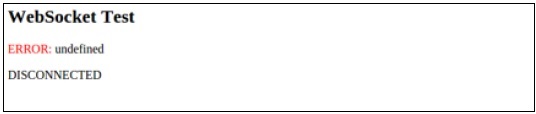
The following program explains how to show error messages using Web Sockets −<!DOCTYPE html> <html> <meta charset = "utf-8" /> <title>WebSocket Test</title> <script language = "javascript" type = "text/javascript"> var wsUri = "ws://echo.websocket.org/"; var output; function init() { output = document.getElementById("output"); testWebSocket(); } function testWebSocket() { websocket = new WebSocket(wsUri); websocket.onopen = function(evt) { onOpen(evt) }; websocket.onclose = function(evt) { onClose(evt) }; websocket.onerror = function(evt) { onError(evt) }; } function onOpen(evt) { writeToScreen("CONNECTED"); doSend("WebSocket rocks"); } function onClose(evt) { writeToScreen("DISCONNECTED"); } function onError(evt) { writeToScreen('<span style = "color: red;">ERROR:</span> ' + evt.data); } function doSend(message) { writeToScreen("SENT: " + message); websocket.send(message); } function writeToScreen(message) { var pre = document.createElement("p"); pre.style.wordWrap = "break-word"; pre.innerHTML = message; output.appendChild(pre); } window.addEventListener("load", init, false); </script> <h2>WebSocket Test</h2> <div id = "output"></div> </html>The output is as follows −


No comments:
Post a Comment