
BRexx is a lighter weight implementation of Rexx. It still has a lot
of functionality to offer as part of the Rexx implementation.
Step 1 − Go to the BRexx download site − https://ftp.gwdg.de/pub/languages/rexx/brexx/html/rx.html
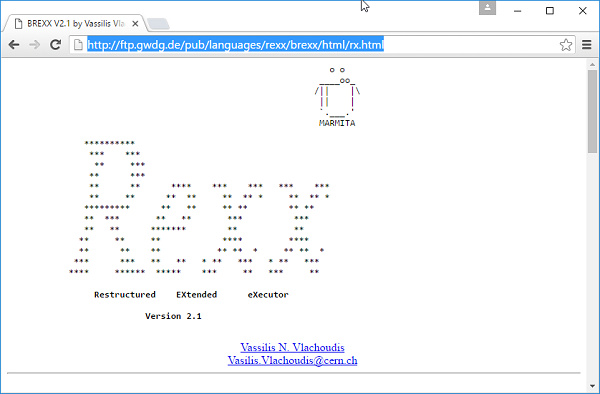 Go to the downloads section and download the product.
Step 2 − Unzip the contents of the Brexx zipped file.
Step 3 − Add the BRexx\bin path to the path variable on the system.
Step 4 − Create a new variable called RXLIB and point it to the lib folder in the Brexx folder.
Setting up BRexx
The first step in BRexx is to set it up on the local machine. To do this, one needs to perform the following steps −Step 1 − Go to the BRexx download site − https://ftp.gwdg.de/pub/languages/rexx/brexx/html/rx.html
Go to the downloads section and download the product.Step 2 − Unzip the contents of the Brexx zipped file.
Step 3 − Add the BRexx\bin path to the path variable on the system.
Step 4 − Create a new variable called RXLIB and point it to the lib folder in the Brexx folder.
Running the First BRexx Program
Create a file called main.rexx and place the following code in the file./* Main program */ say ‘hello’To run the program, run the following command.
rexx32 main.rexxWhen you run the above command, you will get the following output.
helloLet us now discuss some of the most commonly used functions available in the BRexx library.
| S.No. | Functions available in the BRexx Library |
|---|---|
| 1 | acos Command This command is used to get the arc-cosine conversion of a number. |
| 2 | cos Command This command is used to get the cosine conversion of a number. |
| 3 | sin Command This command is used to get the sine conversion of a number. |
| 4 | asin Command This command is used to get the arc-sine conversion of a number. |
| 5 | tan Command This command is used to get the tangent conversion of a number. |
| 6 | atan Command This command is used to get the arc-tangent conversion of a number. |
| 7 | mkdir Command This command is used to create a directory in the current working directory. |
| 8 | rmdir Command This command is used to remove a directory in the current working directory. |
| 9 | dir Command This command is used to return the entire directory listing. |


No comments:
Post a Comment