
Given below is the program to extract content and metadata from a Text document:
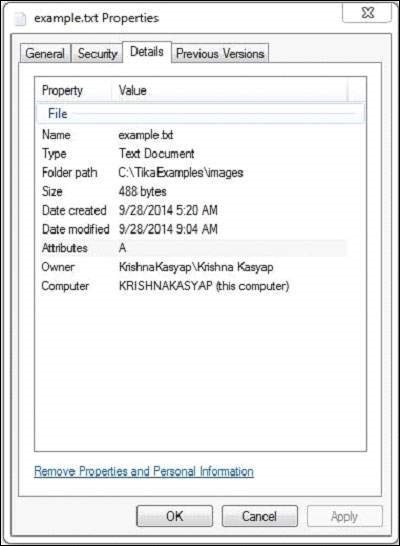
 The text document has the following properties:
 After executing the above program you will get the following output.
Output:
import java.io.File;
import java.io.FileInputStream;
import java.io.IOException;

import org.apache.tika.exception.TikaException;
import org.apache.tika.metadata.Metadata;
import org.apache.tika.parser.ParseContext;
import org.apache.tika.sax.BodyContentHandler;
import org.apache.tika.parser.txt.TXTParser;

import org.xml.sax.SAXException;

public class TextParser {

   public static void main(final String[] args) throws IOException,SAXException, TikaException {

      //detecting the file type
      BodyContentHandler handler = new BodyContentHandler();
      Metadata metadata = new Metadata();
      FileInputStream inputstream = new FileInputStream(new File("example.txt"));
      ParseContext pcontext=new ParseContext();

      //Text document parser
      TXTParser  TexTParser = new TXTParser();
      TexTParser.parse(inputstream, handler, metadata,pcontext);
      System.out.println("Contents of the document:" + handler.toString());
      System.out.println("Metadata of the document:");
      String[] metadataNames = metadata.names();

      for(String name : metadataNames) {
         System.out.println(name + " : " + metadata.get(name));
      }
   }
}
Save the above code as TextParser.java, and compile it from the command prompt by using the following commands:
javac TextParser.java
java TextParser
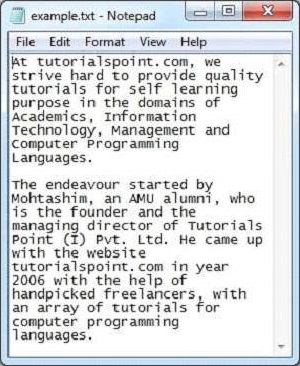
Below given is the snap shot of example.txt document:
The text document has the following properties:
After executing the above program you will get the following output.Output:
Contents of the document:
At tutorialspoint.com, we strive hard to provide quality tutorials for self-learning
purpose in the domains of Academics, Information Technology, Management and Computer
Programming Languages.


The endeavour started by Mohtashim, an AMU alumni, who is the founder and the managing
director of Tutorials Point (I) Pvt. Ltd. He came up with the website tutorialspoint.com
in year 2006 with the help of handpicked freelancers, with an array of tutorials for computer programming languages.


Metadata of the document:
Content-Encoding:   windows-1252
Content-Type:   text/plain; charset=windows-1252


No comments:
Post a Comment