
Socket.IO allows you to “namespace” your sockets, which essentially means assigning different endpoints or paths.
This is a useful feature to minimize the number of resources (TCP connections) and at the same time separate concerns within your application by introducing separation between communication channels.
Multiple namespaces actually share the same WebSockets connection thus saving us socket ports on the server.
Namespaces are created on the server side. But they are joined by clients by sending a request to the server.
This is a useful feature to minimize the number of resources (TCP connections) and at the same time separate concerns within your application by introducing separation between communication channels.
Multiple namespaces actually share the same WebSockets connection thus saving us socket ports on the server.
Namespaces are created on the server side. But they are joined by clients by sending a request to the server.
Default Namespaces
The root namespace '/' is the default namespace which is joined by clients if a namespace is not specified by the client while connecting to the server. All connections to the server using the socket object client side are made to the default namespace. For example,var socket = io();This will connect the client to the default namespace. All events on this namespace connection will be handled by the io object on the server. All the previous examples were utilizing default namespaces to communicate with the server and back.
Custom Namespaces
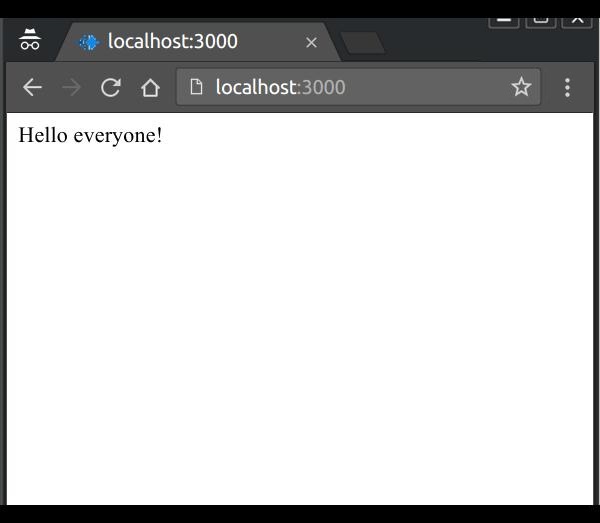
We can create our own custom namespaces. To set up a custom namespace, we can call the of function on the server-side:var app = require('express')(); var http = require('http').Server(app); var io = require('socket.io')(http); app.get('/', function(req, res){ res.sendfile('index.html'); }); var nsp = io.of('/my-namespace'); nsp.on('connection', function(socket){ console.log('someone connected'); nsp.emit('hi', 'Hello everyone!'); }); http.listen(3000, function(){ console.log('listening on localhost:3000'); });Now to connect a client to this namespace, you need to provide the namespace as an argument to the io constructor call to create a connection and a socket object on client side. For example, to connect to the above namespace, use the following HTML:
<!DOCTYPE html>
<html>
 <head><title>Hello world</title></head>
 <script src="/socket.io/socket.io.js"></script>
 <script>
   var socket = io('/my-namespace');
   socket.on('hi',function(data){
     document.body.innerHTML = '';
     document.write(data);
   });
 </script>
 <body></body>
</html>
Everytime someone connects to this namespace, they'll receive a hi event.


No comments:
Post a Comment