
Reginald is another Rexx interpreter which was developed by Jeff
Glantt and has some customizations on how Rexx programs can be run. In
this section, we will see how to get Reginald setup and run a few Rexx
programs in it.
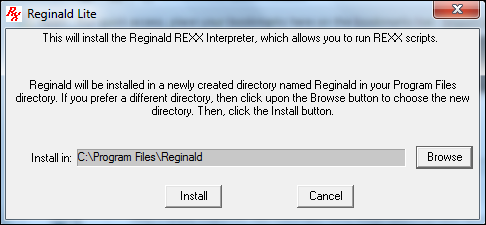
 Once the download is complete and you launch the installer, the next screen will allow you to choose the install location.
Click the Install button to proceed.
 Once complete, we can now start to run one sample program in the Reginald interpreter. Create a simple program as shown below.
Syntax −
Options − These are a list of keywords which can be used to get various information on the drives of the local computer.
Return Value
A string value which has information on the drive.
Example −
Environment Setup
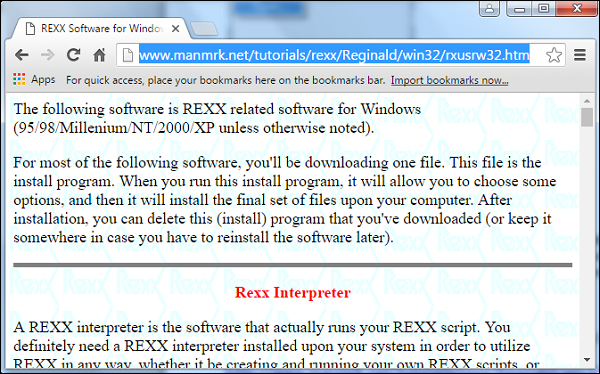
The first step is the environment setup which is to download the Reginald files. This can be done from the following website link − https://www.manmrk.net/tutorials/rexx/Reginald/win32/rxusrw32.htm
Once the download is complete and you launch the installer, the next screen will allow you to choose the install location.Click the Install button to proceed.
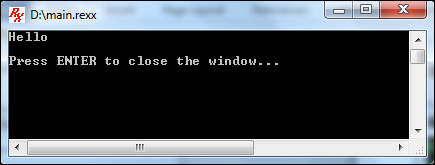
Once complete, we can now start to run one sample program in the Reginald interpreter. Create a simple program as shown below./* Main program */ say 'Hello'Then run the following command −
RxLaunch.exe main.rexxYou will then get the following output. This program will now be running in the Reginald interpreter.
Other Functions Available
Apart from the normal Rexx commands, Reginald had some specific commands that are tailor-made for the Windows operating system. DriveMap is one such command −DriveMap
This function gives information on the drive.Syntax −
Drivemap(,options)Parameters −
Options − These are a list of keywords which can be used to get various information on the drives of the local computer.
Return Value
A string value which has information on the drive.
Example −
/* Main program */
say 'Drives on system : ' DriveMap(,'FIXED')
If the above program is run, you will get the following output. This output depends from system to system.
List of disk drives : C:\ D:\


No comments:
Post a Comment