
Given below is the program to extract content and meta data from a JPEG image.
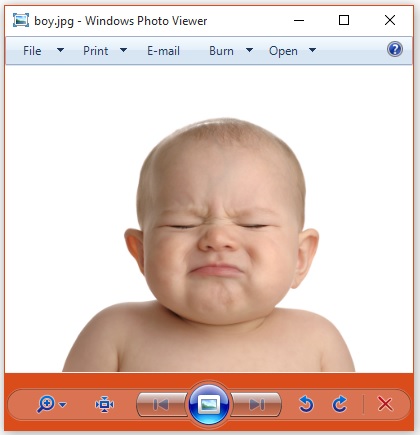 The JPEG file has the following properties −
 On executing the above application you will get the following output.
Output −
import java.io.File;
import java.io.FileInputStream;
import java.io.IOException;

import org.apache.tika.exception.TikaException;
import org.apache.tika.metadata.Metadata;
import org.apache.tika.parser.ParseContext;
import org.apache.tika.parser.jpeg.JpegParser;
import org.apache.tika.sax.BodyContentHandler;

import org.xml.sax.SAXException;

public class JpegParse {

   public static void main(final String[] args) throws IOException,SAXException, TikaException {

      //detecting the file type
      BodyContentHandler handler = new BodyContentHandler();
      Metadata metadata = new Metadata();
      FileInputStream inputstream = new FileInputStream(new File("boy.jpg"));
      ParseContext pcontext = new ParseContext();

      //Jpeg Parse
      JpegParser  JpegParser = new JpegParser();
      JpegParser.parse(inputstream, handler, metadata,pcontext);
      System.out.println("Contents of the document:" + handler.toString());
      System.out.println("Metadata of the document:");
      String[] metadataNames = metadata.names();

      for(String name : metadataNames) {
         System.out.println(name + ": " + metadata.get(name));
      }
   }
}
Save the above code as JpegParse.java, and compile it from the command prompt by using the following commands −
javac JpegParse.java
java JpegParse
Here we are passing the following example.jpeg file −
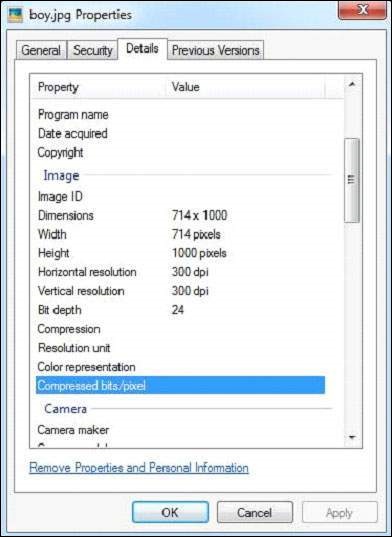
The JPEG file has the following properties −
On executing the above application you will get the following output.Output −
Contents of the document:

Meta data of the document:
Resolution Units: inch
Compression Type: Baseline
Data Precision: 8 bits
Number of Components: 3
tiff:ImageLength: 3000
Component 2: Cb component: Quantization table 1, Sampling factors 1 horiz/1 vert
Component 1: Y component: Quantization table 0, Sampling factors 2 horiz/2 vert
Image Height: 3000 pixels
X Resolution: 300 dots
Original Transmission Reference: 53616c7465645f5f2368da84ca932841b336ac1a49edb1a93fae938b8db2cb3ec9cc4dc28d7383f1
Image Width: 4000 pixels
IPTC-NAA record: 92 bytes binary data
Component 3: Cr component: Quantization table 1, Sampling factors 1 horiz/1 vert
tiff:BitsPerSample: 8
Application Record Version: 4
tiff:ImageWidth: 4000
Y Resolution: 300 dots


No comments:
Post a Comment