
The following example show how to use Controller Class Name Handler
Mapping using Spring Web MVC framework.
ControllerClassNameHandlerMapping class is the convention based handler
mapping class which maps URL request(s) to the name of the controllers
mentioned in the configuration.
This class takes the Controller names and converts them to lower case with a leading "/". For example HelloController maps to "/hello*" URL.
HelloController.java
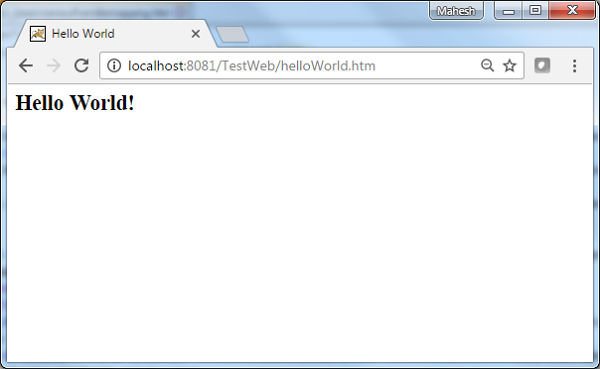
Now start your Tomcat server and make sure you are able to access other web pages from webapps folder using a standard browser. Now try a URL http://localhost:8080/TestWeb/helloWorld.htm and you should see the following result if everything is fine with your Spring Web Application:
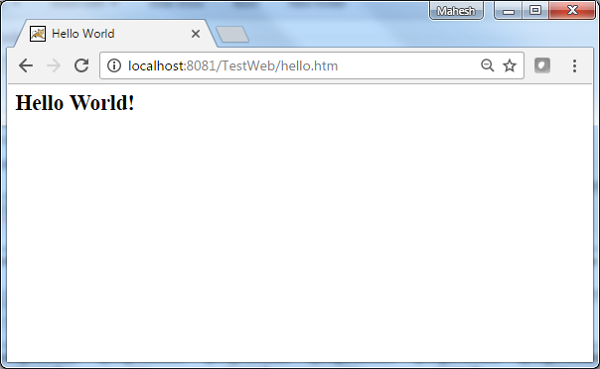
 Try a URL http://localhost:8080/TestWeb/hello.htm and you should see the following result if everything is fine with your Spring Web Application:
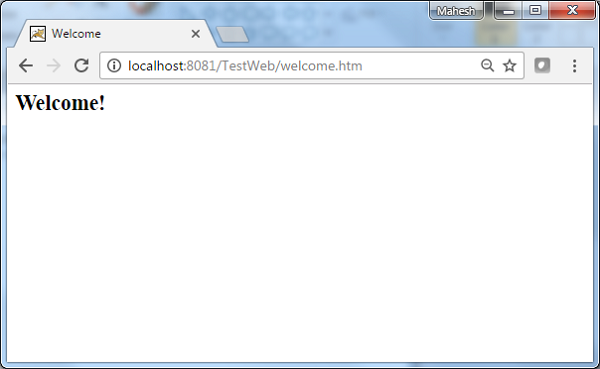
 Try a URL http://localhost:8080/TestWeb/welcome.htm and you should see the following result if everything is fine with your Spring Web Application:
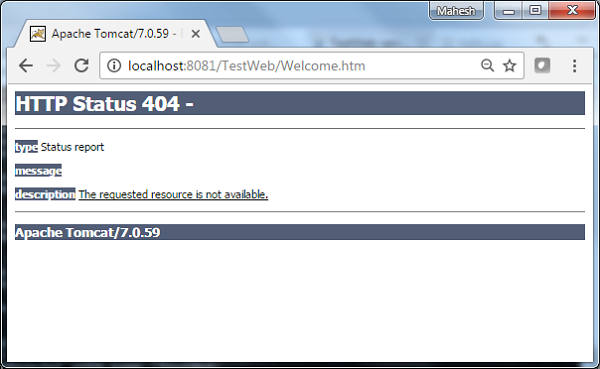
 Try a URL http://localhost:8080/TestWeb/Welcome.htm and you should see the following result if everything is fine with your Spring Web Application:
This class takes the Controller names and converts them to lower case with a leading "/". For example HelloController maps to "/hello*" URL.
<beans>

   <bean class="org.springframework.web.servlet.view.InternalResourceViewResolver">
      <property name="prefix" value="/WEB-INF/jsp/"/>
      <property name="suffix" value=".jsp"/>
   </bean>

   <bean class="org.springframework.web.servlet.mvc.support.ControllerClassNameHandlerMapping"/>

   <bean class="com.tutorialspoint.HelloController" />

   <bean class="com.tutorialspoint.WelcomeController"/>
</beans>
For example, using above configuration, if URI
- /helloWorld.htm or /hello{any letter}.htm is requested, DispatcherServlet will forward the request to the HelloController.
- /welcome.htm is requested, DispatcherServlet will forward the request to the WelcomeController.
- /Welcome.htm is requested where W is capital cased, DispatcherServlet will not find any controller and server will throw 404 status error.
| Step | Description |
|---|---|
| 1 | Create a project with a name TestWeb under a package com.tutorialspoint as explained in the Spring MVC - Hello World Example chapter. |
| 2 | Create a Java classes HelloController, WelcomeController under the com.tutorialspoint package. |
| 3 | Create a view files hello.jsp, welcome.jsp under jsp sub-folder. |
| 4 | The final step is to create the content of all the source and configuration files and export the application as explained below. |
package com.tutorialspoint;

import javax.servlet.http.HttpServletRequest;
import javax.servlet.http.HttpServletResponse;

import org.springframework.web.servlet.ModelAndView;
import org.springframework.web.servlet.mvc.AbstractController;

public class HelloController extends AbstractController{

   @Override
   protected ModelAndView handleRequestInternal(HttpServletRequest request,
      HttpServletResponse response) throws Exception {
      ModelAndView model = new ModelAndView("hello");
      model.addObject("message", "Hello World!");
      return model;
   }
}
WelcomeController.java
package com.tutorialspoint;

import javax.servlet.http.HttpServletRequest;
import javax.servlet.http.HttpServletResponse;

import org.springframework.web.servlet.ModelAndView;
import org.springframework.web.servlet.mvc.AbstractController;

public class WelcomeController extends AbstractController{

   @Override
   protected ModelAndView handleRequestInternal(HttpServletRequest request,
      HttpServletResponse response) throws Exception {
      ModelAndView model = new ModelAndView("welcome");
      model.addObject("message", "Welcome!");
      return model;
   }
}
TestWeb-servlet.xml
<beans xmlns="http://www.springframework.org/schema/beans"
   xmlns:context="http://www.springframework.org/schema/context"
   xmlns:xsi="http://www.w3.org/2001/XMLSchema-instance"
   xsi:schemaLocation="
   http://www.springframework.org/schema/beans
   http://www.springframework.org/schema/beans/spring-beans-3.0.xsd
   http://www.springframework.org/schema/context
   http://www.springframework.org/schema/context/spring-context-3.0.xsd">

   <bean class="org.springframework.web.servlet.view.InternalResourceViewResolver">
      <property name="prefix" value="/WEB-INF/jsp/"/>
      <property name="suffix" value=".jsp"/>
   </bean>

   <bean class="org.springframework.web.servlet.mvc.support.ControllerClassNameHandlerMapping"/>

   <bean class="com.tutorialspoint.HelloController" />

   <bean class="com.tutorialspoint.WelcomeController"/>
</beans>
hello.jsp
<%@ page contentType="text/html; charset=UTF-8" %>
<html>
<head>
<title>Hello World</title>
</head>
<body>
   <h2>${message}</h2>
</body>
</html>
welcome.jsp
<%@ page contentType="text/html; charset=UTF-8" %>
<html>
<head>
<title>Welcome</title>
</head>
<body>
   <h2>${message}</h2>
</body>
</html>
Once you are done with creating source and configuration files, export your application. Right click on your application and use Export > WAR File option and save your TestWeb.war file in Tomcat's webapps folder.
Now start your Tomcat server and make sure you are able to access other web pages from webapps folder using a standard browser. Now try a URL http://localhost:8080/TestWeb/helloWorld.htm and you should see the following result if everything is fine with your Spring Web Application:
Try a URL http://localhost:8080/TestWeb/hello.htm and you should see the following result if everything is fine with your Spring Web Application:
Try a URL http://localhost:8080/TestWeb/welcome.htm and you should see the following result if everything is fine with your Spring Web Application:
Try a URL http://localhost:8080/TestWeb/Welcome.htm and you should see the following result if everything is fine with your Spring Web Application:

No comments:
Post a Comment